

canonical_url: https://www.ravsam.in/blog/offline-toast-notification-in-nuxt-vue-app/ date: 2021-01-23 05:28:48 UTC published: true tags: webdevelopment,webdesign,vue,jamstack title: Offline Toast notification in Nuxt/Vue app
You can also read this article directly on RavSam’s blog. We publish our articles on Medium after a week.
We have often seen apps telling us that “You are offline. Check your network status.”. It is not only convenient to do so but adds to a great UX. In this blog, we will look at how can we display a toast notification in a Nuxt/Vue app whenever the user goes offline or online. This will also help us to understand how to use computed and watch properties together.
Prerequisites
- Using $nuxt helper
- Writing Code
Results
Before getting started, we need to make sure that we have correctly setup Nuxt and BootstrapVue.
1. Using $nuxt helper
Nuxt provides a great way to access its helper class, $nuxt. In order to get the current network connection status, we can do two things:
$nuxt.isOffline
$nuxt.isOnline
Yes, it is as simple as that.
Now in BootstrapVue, we ca create toasts on-demand using this.$bvToast.toast(). So we can implement the notification behaviour using computed and watch properties provided by Vue.
2. Writing Code
The best place to add the following piece of code is in our layouts/default.vue. Doing so can help us to implement a universal kind of notification behaviour.
Let us go through the above code. First of all, we create a computed property, connectionStatus. In connectionStatus, we return the value of this.$nuxt.isOffline. Now in Vue, whenever a property, a computed is dependent upon changes, the computed property also changes. So whenever this.$nuxt.isOffline changes, connectionStatus gets a new value.
We can watch the value of connectionStatus and do things based on its new value. In our case, we check whether the changed value of connectionStatus is true(offline). Depending upon this we display our toast notification using BootstrapVue.
Results
Let us go back to our browser and check whether the above code works or not. In the Network tab in Developer Tools, let us toggle the network connection status.
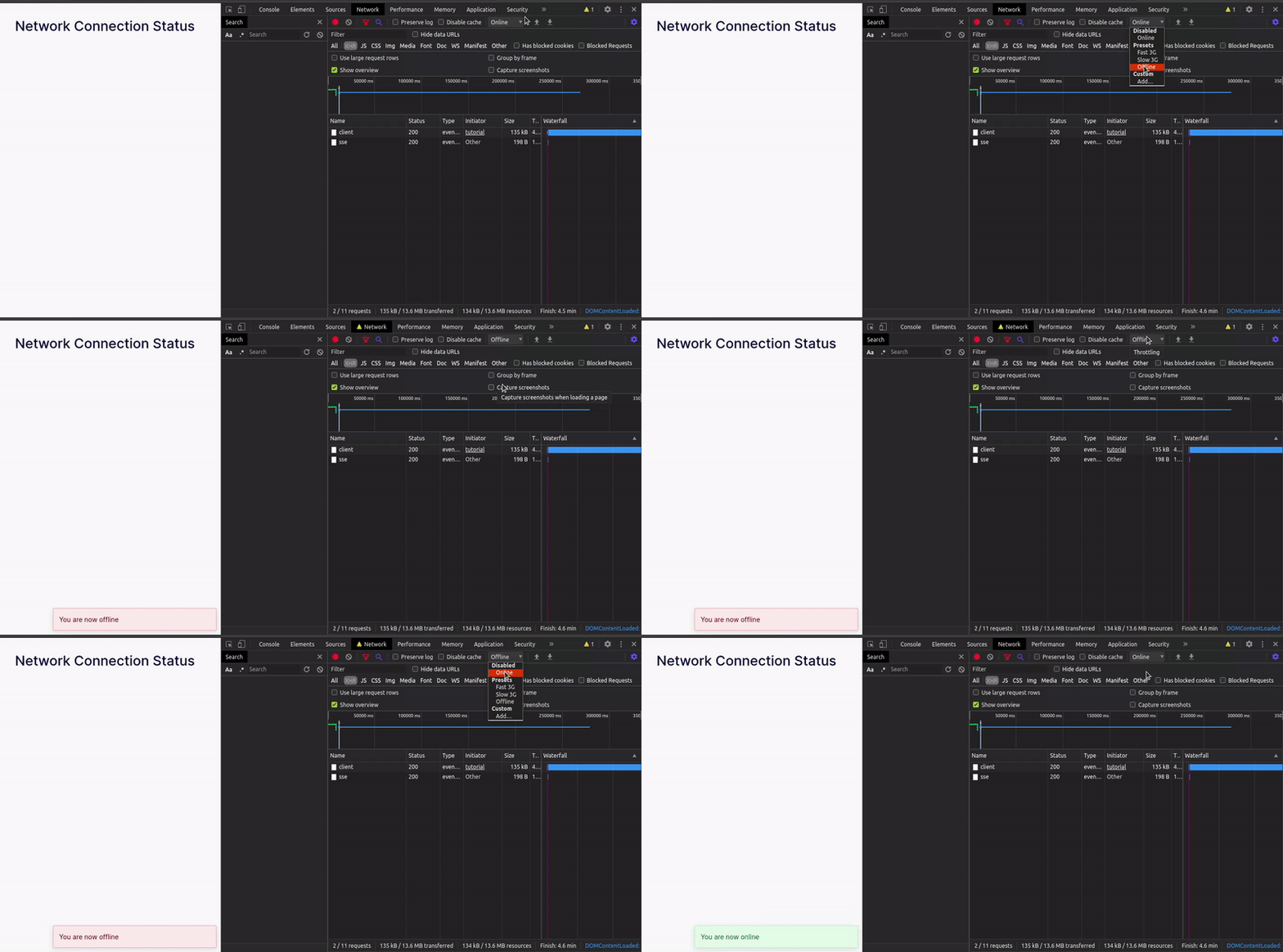
Hurray! Our toast notifications are working perfectly fine. So using the combined magic of computed and watch properties, we can create outstanding workflows and take our Nuxt/Vue app to next level. If you any doubts or appreciation for our team, let us know in the comments below. We would be happy to assist you.
About RavSam Web Solutions
We are helping companies and startups to set up Web and Mobile Apps powered by modern JAMstack architecture. Reach out to us to know more about our services, pricing, or anything else.
You might also enjoy reading
I share tips on how to get started with freelancing, remote jobs, developer-related stuff, startup ecosystem, and lots of insider secrets with my subscribers.